Quick Answer: The best GuideCX alternatives depend on what your team actually needs. For customer onboarding with AI-driven account monitoring, OnRamp is the strongest purpose-built option. For teams that bill clients for implementation work and need resource planning, timesheets, and invoicing, Rocketlane is the closest PSA fit. For teams managing the full post-sale lifecycle beyond onboarding — adoption, health scores, QBRs, renewals — EverAfter AI or ChurnZero cover more ground. For Salesforce-native teams, TaskRay is worth evaluating. For client portal-first workflows, Moxo. For teams not ready to invest in a dedicated tool, Monday.com and Asana handle the basics.
Key Takeaways
- GuideCX is built for mid-market B2B implementation teams that need strong customer-facing project visibility, dependency control, and multi-stakeholder coordination. If that's your primary need, few tools do it better. But the platform has limitations: post-go-live task management is thin, UI customization for customer-facing emails is constrained, and resource management is gated behind higher tiers.
- The alternatives span three distinct categories: purpose-built onboarding platforms, full CS lifecycle platforms, and PSA tools. Knowing which category matches your workflow eliminates most of the evaluation work.
- The biggest shift in this market in 2025-2026: Rocketlane moved fully into PSA, EverAfter was acquired by Base.ai, and AI-driven account monitoring has gone from a differentiator to a baseline expectation. The tool you evaluated two years ago may have a different product focus today.
- If your team manages more than 15 concurrent onboardings, the ability to monitor account health at a portfolio level, not just track tasks, becomes the most important differentiator.
GuideCX built its reputation on one thing: making complex B2B implementations visible to everyone involved. Customers see their tasks. Internal teams see the full project. Stakeholders on both sides know what's blocking progress.
That's genuinely useful, but GuideCX has real limits. Post-go-live engagement is thin, customization on customer-facing emails and portals is constrained, and as implementations get more complex, teams start running into the platform's ceiling on reporting and resource visibility.
This guide covers the 7 best GuideCX alternatives in 2026, organized by use case, so you can find the right fit without evaluating tools built for a different problem.
What are you actually trying to solve for?
GuideCX buyers usually fall into one of three groups:
The 7 Best GuideCX Alternatives in 2026
1. OnRamp
Best for: Teams running high-volume, repeatable customer onboarding that want AI to handle account monitoring and re-engagement automatically.
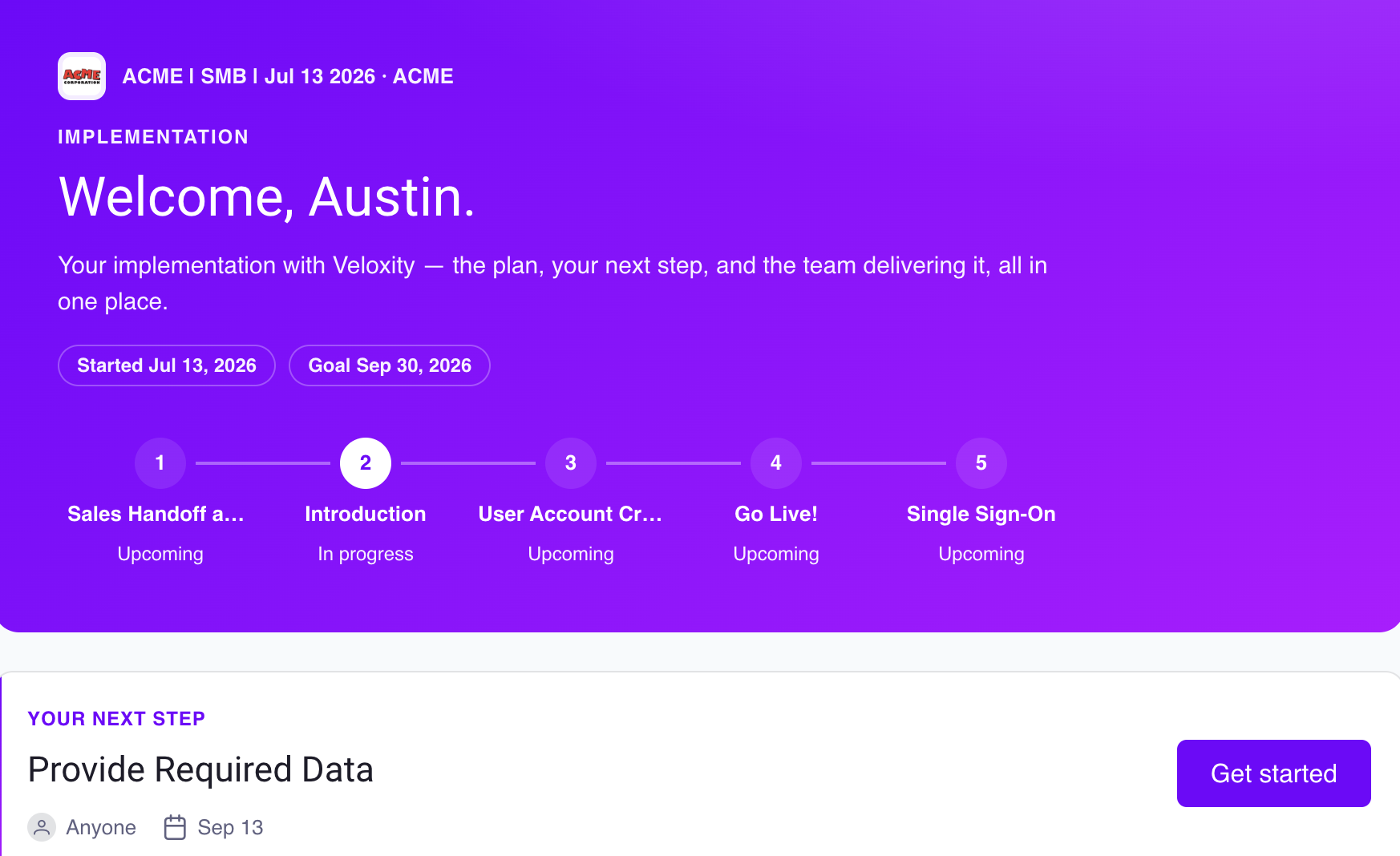
OnRamp is a customer onboarding platform built for B2B teams managing post-sale implementation. Where GuideCX focuses heavily on project visibility and stakeholder coordination, OnRamp's core differentiator is what happens when onboarding stalls. Aero AI, OnRamp's agentic AI layer, monitors every active onboarding simultaneously, identifies accounts that are falling behind, and re-engages customers automatically, without a CSM having to check in manually.
Customers get a branded portal with their own tasks, milestones, and progress tracking in real time. Native HubSpot and Salesforce integrations close a deal and automatically create a new onboarding project, with milestone data flowing back into your CRM throughout.
Pros:
- Aero AI actively monitors accounts and re-engages customers who go quiet. Not just email reminders, but proactive intervention
- Branded customer portal included across all plans
- Native HubSpot and Salesforce integrations with bi-directional sync
- Pre-built playbook templates; most teams are live within 30-60 days
- Purpose-built for onboarding — no PSA overhead, no CS platform sprawl
Cons:
- Not the right fit for teams that need PSA features like timesheets, resource planning, or invoicing
- No self-serve free tier; sandbox demo environment available upon request
2. Rocketlane
Best for: Professional services teams that bill clients for implementation work and need resource planning, time tracking, and invoicing alongside project delivery.
Rocketlane has repositioned as a full PSA (professional services automation) platform. The product now covers timesheets, resource management, rate cards, invoicing, and financial reporting alongside the implementation project plan. Teams that came to Rocketlane for client-facing onboarding will find most of that PSA layer doesn't apply to them.
For teams that genuinely need PSA capabilities — billable implementation services, margin tracking, utilization reporting — Rocketlane is one of the more complete options in the market. For CS teams running non-billable post-sale onboarding, the platform has more than you need.
Pros:
- Comprehensive PSA suite: time tracking, resource management, invoicing, and project financials in one platform
- Strong client portal and collaboration features carry over from the onboarding-focused version
- Salesforce integration for project creation and milestone sync
Cons:
- PSA pricing reflects the broader feature set; more expensive than onboarding-focused tools
- Resource management and financial features are unnecessary overhead for non-billable onboarding teams
- Steeper setup and onboarding compared to lighter tools
3. EverAfter AI
Best for: Teams that want a single customer hub spanning onboarding, adoption, QBRs, and renewals — not just the first 90 days.
EverAfter AI (now part of Base.ai) takes a different scope than GuideCX. Where GuideCX is focused on the implementation phase, EverAfter builds a persistent, AI-personalized workspace for each customer that evolves from onboarding through the full post-sale lifecycle. Customers don't get a project plan, they get an ongoing hub that changes as the relationship matures.
If your team's bottleneck is getting customers live faster, a more narrowly focused onboarding tool is likely a better fit. If the bigger problem is digital CS at scale, like running QBRs, tracking adoption milestones, managing renewals across a large book of accounts — EverAfter is worth a close look.
Pros:
- Full lifecycle coverage: onboarding through adoption, business reviews, and renewals in one platform
- AI personalization scales across large books of accounts without adding headcount
- Strong for digital CS motions managing hundreds of accounts
Cons:
- New users find the content structure and workspace setup confusing initially
- Widget-level customization (fonts, layout, style) is more constrained than the overall flexibility suggests
- Reporting and analytics are less robust than dedicated CS platforms
- Some teams prefer it embedded in their product rather than a separate portal
4. Moxo
Best for: Teams that want a client portal with embedded workflows, document collection, e-signatures, and approvals, with a strong emphasis on the client-facing experience.
Moxo takes a portal-first approach. The product is built around a centralized client workspace where communication, document sharing, task tracking, and approvals all live in one place. It's designed for businesses that need a clean, branded experience for clients across onboarding, document collection, and ongoing account management.
Where GuideCX centers on project plan transparency and task dependencies, Moxo centers on the client interaction layer: secure messaging, file requests, e-signatures, and workflow automation for high-touch client processes. It works well in financial services, legal, accounting, and professional services contexts where document collection and approvals are core to the process.
Pros:
- Strong client-facing portal with secure messaging, file sharing, and e-signature built in
- Enterprise-grade security and role-based access controls
- Branded workspace with customizable client experience
- Workflow automation for document requests and approvals
Cons:
- Setup is heavy; smaller teams often find the initial configuration time-consuming
- Integrations are limited on base plans — primarily CRM and Google Drive
- Reporting capabilities need improvement according to multiple reviews
- Better suited to document-heavy industries than pure SaaS onboarding workflows
5. TaskRay
Best for: Salesforce-native teams that want customer onboarding and project management living entirely inside their CRM, without a separate tool.
TaskRay is built directly on Salesforce — it's not an integration, it's a native app. Every project, task, milestone, and customer interaction lives inside your existing Salesforce environment. For teams that run their entire business in Salesforce and want onboarding to inherit that data natively, TaskRay eliminates the sync layer that every other tool requires.
The tradeoff is Salesforce dependency. TaskRay requires an existing Salesforce org, and the additional user seats needed for customers or broader team access can push the total cost higher than it initially appears. Teams without Salesforce, or those actively looking to reduce Salesforce sprawl, should look elsewhere.
Pros:
- Fully Salesforce-native: no integration layer, no data sync, everything in one CRM
- Highly customizable to match existing Salesforce data models and workflows
- Reduces manual data entry significantly for Salesforce-first teams
- Strong customer support and implementation assistance
Cons:
- Requires an existing Salesforce environment; not viable without it
- Additional Salesforce seat costs for broader access can make total pricing high
- Complex UI with a steep learning curve for new users
- Reporting and analytics require additional Salesforce tools or third-party integrations
6. ChurnZero
Best for: Customer success teams that need health scoring, automated playbooks, and renewal management alongside onboarding, not just a project-based implementation tool.
ChurnZero is a customer success platform, not an onboarding tool. The distinction matters: where GuideCX manages the implementation project, ChurnZero manages the customer relationship over time. It brings together account health scores, automated plays, in-app messaging, QBR tools, and renewal tracking in one platform.
For teams that outgrow GuideCX because their CS motion extends well beyond implementation, ChurnZero is a natural step up. For teams whose primary bottleneck is onboarding speed rather than post-onboarding retention, it's more platform than they need.
Pros:
- Full CS lifecycle: health scoring, automated plays, in-app messaging, renewals, and QBRs
- Strong automation for large books of accounts where manual CSM coverage doesn't scale
- Highly rated customer support on G2 (4.7/5 across 1,600+ reviews)
Cons:
- Reporting and dashboards can be difficult to build without dedicated admin support
- Project management for onboarding is not its strength — milestones and tasks are limited for tracking complex implementations
- Integrations promised during sales have sometimes underdelivered in practice, per user reviews
7. Monday.com/Asana/ClickUp
Best for: Teams with lightweight onboarding needs, or those evaluating whether a dedicated tool is worth the investment before committing.
General project management tools show up in every GuideCX comparison, and for good reason: they're familiar, affordable, and flexible enough to build basic onboarding structures. They work well for internal team coordination and simple project tracking.
The gap shows up on the customer-facing side. None of these tools offer a branded client portal that gives customers their own onboarding experience. Automation is generic rather than onboarding-specific. CRM integration lacks the onboarding logic (auto-project creation, milestone sync, health monitoring) that purpose-built tools provide. Your team ends up doing manually what a dedicated tool handles automatically.
Pros:
- Low cost; most teams already have a license for at least one
- Highly familiar; minimal learning curve for internal adoption
- Flexible enough to model basic onboarding workflows
Cons:
- No branded customer portal; clients access a shared view inside your internal workspace
- No onboarding-specific automation or account health monitoring
- CRM integrations lack the onboarding logic of purpose-built platforms
- Portfolio-level visibility across dozens of concurrent onboardings is difficult to maintain
How to choose the right GuideCX alternative?
Is your onboarding billable? If clients pay for implementation time, you need PSA features — timesheets, rate cards, invoicing, and margin tracking. Rocketlane is built for that. If onboarding is post-sale and non-billable, a dedicated onboarding platform gives you more of what you actually need.
How many accounts are you managing concurrently? Under 10, a lighter tool works fine. Above 15-20, you need portfolio-level visibility and automated health monitoring. Manually tracking that many active onboardings in a task list breaks down fast. OnRamp and GuideCX both handle this; general PM tools don't.
Where does your biggest problem sit? If the bottleneck is the first 90 days — getting customers through implementation — an onboarding-focused tool solves the problem directly. If the bottleneck is what happens after go-live — adoption, renewals, expansion — a CS platform like ChurnZero or EverAfter AI addresses the right part of the lifecycle.
Does your customer need their own experience? A branded portal where customers see their tasks, milestones, and progress is a meaningfully different experience than a guest seat in your internal project tool. If the customer-facing experience matters to how your team differentiates its onboarding, that capability should be a requirement, not a nice-to-have.
Are you all-in on Salesforce? If your team runs entirely in Salesforce and wants to keep onboarding native to that environment, TaskRay is worth serious consideration. For everyone else, the additional complexity and seat costs aren't worth it.
See how OnRamp compares to GuideCX specifically: OnRamp vs. GuideCX | Book a demo
Frequently Asked Questions
.svg "Clip path group (1)")


.svg)
.svg)
.svg)


.svg)
.svg)
.png)
.svg)


.svg)
.svg)
.svg)